For any ISP in Kenya, getting paid on time is everything. That’s where the Lipa na M-PESA portal from Safaricom comes in. It’s a business tool that lets you take, track, and manage M-PESA payments online. But the real magic happens when you connect it to your billing software like Centipid. This integration completely automates how you collect payments and balance your books, cutting out the manual grind and getting money into your account faster.
Why Integrate the Lipa na M-PESA Portal
Hooking up the Lipa na M-PESA portal to your Centipid ISP billing system isn't just about giving customers another way to pay. It’s about fundamentally changing how your business runs, improving both your efficiency and how your customers see you. You’re essentially moving from a system of chasing payments and manual data entry to a smooth, automated revenue machine.
Let’s be honest, one of the biggest operational headaches for any ISP is reconciling payments. Without proper integration, your team is stuck sifting through M-PESA SMS notifications, trying to match them to the right customer accounts. It’s a tedious job, and it’s easy to make mistakes that lead to wrongfully disconnecting a paying customer or taking too long to activate a new service.
Speed Up Your Cash Flow and Cut Down on Errors
When a customer pays through your integrated Lipa na M-PESA setup, the transaction details fire straight into Centipid. The system immediately confirms the payment, finds the right subscriber account, and marks their invoice as paid. This happens in real-time, meaning that cash is on your books instantly, not hours or even days later.
The benefits are obvious from day one:
- Less Manual Work: Your finance team can stop the repetitive task of checking and logging every single payment by hand.
- Fewer Reconciliation Mistakes: Automation gets rid of the typos and mix-ups that happen when matching payments to the wrong accounts.
- Quicker Service Reconnection: If a prepaid or post-paid customer has been disconnected, a successful payment can automatically get their service back online within minutes.
This kind of automation is a game-changer, especially in a market where M-PESA is king. You simply can't ignore how dominant it is.
A Better Experience for Your Customers
A simple, painless payment process is a huge part of keeping customers happy. When you offer a familiar and trusted option like Lipa na M-PESA, you remove barriers and build confidence in your brand. Millions of Kenyans use this interface every single day.

The M-PESA app is designed to be straightforward and easy to use. By automating the work on your end, you’re extending that same simplicity from their phone all the way to their internet service status. It creates a seamless, positive interaction that makes your brand look professional and reliable.
To really see the difference, let’s break down the old way versus the new, integrated way.
Operational Benefits of M-PESA Integration
| Operational Area | Manual Processing | Lipa na M-PESA Integrated System |
|---|---|---|
| Payment Confirmation | Staff manually checks SMS alerts and statements. | Instant, automated confirmation via API callback. |
| Account Reconciliation | Hours spent matching payment codes to customer accounts. | Zero-touch reconciliation; payment auto-applies to invoice. |
| Service Activation | Delayed until payment is manually verified and logged. | Service is reconnected or activated automatically in minutes. |
| Error Rate | High risk of human error (e.g., typos, wrong accounts). | Errors are virtually eliminated. |
| Customer Support Load | High volume of calls about payment status and reconnections. | Drastically reduced calls as the system handles it instantly. |
| Reporting | Time-consuming manual report generation for cash flow. | Real-time, accurate financial reporting on demand. |
As you can see, the shift is dramatic. It moves your team away from being reactive data-entry clerks to focusing on higher-value tasks that actually grow the business.
Preparing for a Smooth Integration
Getting your Lipa na M-PESA portal and Centipid system to talk to each other is pretty straightforward, but a bit of prep work upfront will save you a world of headaches later. It’s all about getting your ducks in a row before you even think about touching the technical settings.
Your first stop is Safaricom. You'll need to get a business number, which means choosing between a Paybill or a Till Number. For ISPs using Centipid, I always recommend a Paybill. Why? Because it lets your customers enter their unique account number when they pay. This is the magic key that allows Centipid to automatically match the payment to the right subscriber, no manual work needed.
Gathering Your Credentials
With your new Paybill number in hand, it's time to gather the paperwork for the Safaricom Daraja API. This is standard stuff, think business registration documents, director details, and so on. Safaricom just needs to verify your business before they hand over the keys to their live payment environment.
While you're waiting on Safaricom, take a quick look at your Centipid setup. Make sure your version of the software is up-to-date and supports the M-PESA gateway. If you're not sure, don't guess. Just drop the Centipid support team a line through their official contact page. They’ll get you sorted.
This infographic breaks down the essential prep steps for your Lipa na M-PESA portal integration.
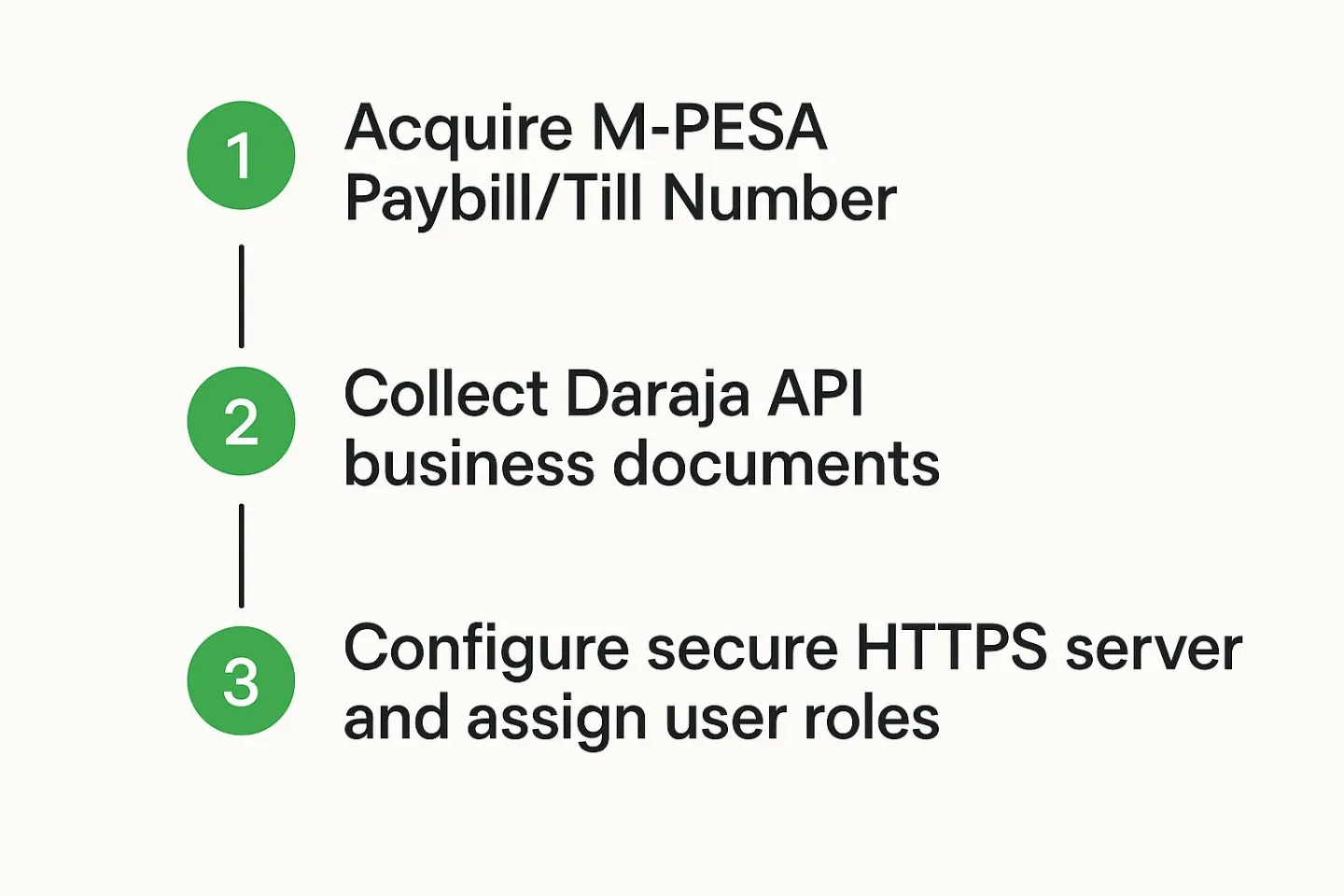
Following this simple flow ensures you have everything you need from both Safaricom and Centipid before you start the real configuration.
Securing Your Environment
Let's talk security, because this part is non-negotiable. The whole integration relies on API callbacks between Safaricom and Centipid, and that connection must be secure. In plain English, this means your Centipid server needs a valid SSL certificate and must be accessible via HTTPS. If it's not, Safaricom's servers won't talk to yours, and your payments simply won't show up.
Here's a pro-tip that many people forget until it's too late: sort out your user roles in Centipid before you go live. Think about which team members need to see transaction logs, who can change gateway settings, and who handles payment disputes. Setting up these permissions early on is a simple way to prevent mistakes and keep your financial workflow clean from the get-go.
By limiting who can access and change these critical financial settings, you add a crucial layer of internal security. Once you’ve checked off these prep items, you’re in great shape to start the actual integration.
Alright, you've got your M-PESA credentials ready to go. Now for the fun part: plugging them into Centipid and watching the magic happen. This is where we’ll build the bridge between your billing system and the Lipa na M-PESA portal, which is the key to automating your entire payment collection process.
It’s a pretty straightforward process, but every single field you fill in here is critical. One wrong character can bring the whole thing to a halt.
First things first, you'll need to find your way to the M-PESA gateway settings inside your Centipid admin panel. Once you're there, you’ll see a form asking for a few key pieces of information. These aren't just random codes; they're the unique identifiers Safaricom uses to know it's really you and to make sure your customers' payments land in the right place.
You’ll be grabbing these details directly from your Safaricom Developer Portal, which should look something like this:
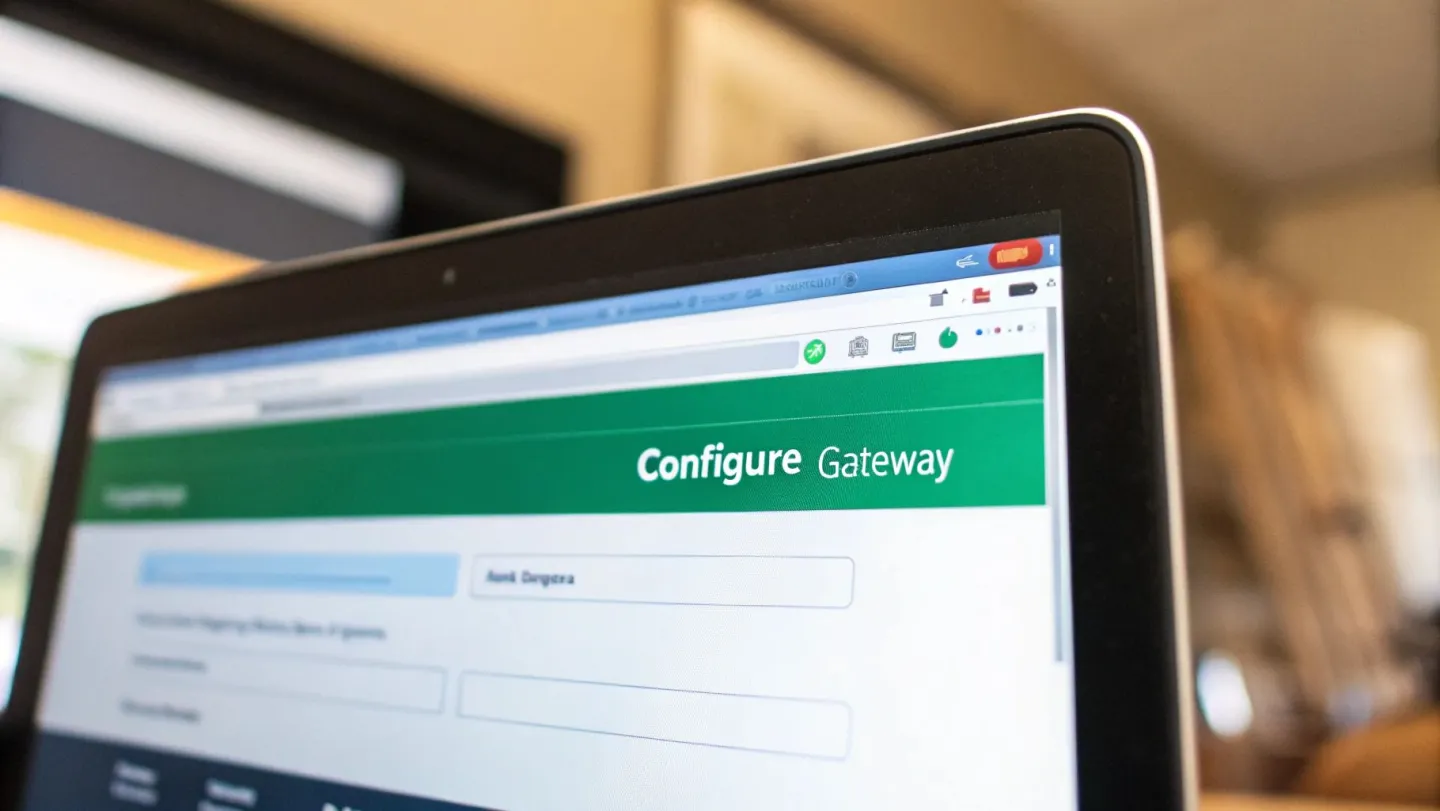
This portal is your single source of truth for the API keys that act as the secure handshake between Centipid and M-PESA.
What These M-PESA Credentials Actually Mean
Let's quickly break down what you're looking at so you know exactly what you’re pasting into those fields. It’s less intimidating when you understand what each piece does.
- Shortcode: This is simply your M-PESA business number. It could be a Paybill or a Till Number, but it's the number your customers will see and use to pay their internet bills.
- Consumer Key & Consumer Secret: Think of these as a username and password, but for your application instead of a person. You'll find them on your app's dashboard within the Safaricom Daraja portal. They’re absolutely essential for authenticating every single request that flows between your billing system and M-PESA.
I can't stress this enough: copy and paste these keys with extreme care. A single typo will cause the authentication to fail, and you’ll be left wondering why nothing is working. Treat these credentials like your bank password, keep them secure and get them right.
Getting Your Callback URLs Set Up
Next up, you'll see fields for two of the most important settings in this whole setup: the Validation URL and the Confirmation URL. These are the web addresses the Lipa na M-PESA system uses to talk back to Centipid whenever a payment happens. It’s a two-way street.
They have very different jobs, but both are vital.
- Validation URL: Before a payment is even processed, M-PESA pings this address. It’s asking your Centipid system, "Hey, is this a real account number?" If Centipid gives a thumbs-up, the transaction moves forward. If not, the transaction is immediately cancelled. This simple check saves you and your customers a ton of headaches by preventing payments to non-existent or mistyped account numbers.
- Confirmation URL: Once a payment successfully goes through, M-PESA sends all the juicy details, the amount, the customer's phone number, the transaction ID, to this address. This is the signal Centipid needs to automatically credit the customer's account and mark their invoice as paid. No manual intervention needed.
Pro Tip: Your callback URLs have to be live on the internet and secured with HTTPS. They will usually follow a standard format provided by your Centipid installation, something like https://your-isp-domain.com/mpesa/validate and https://your-isp-domain.com/mpesa/confirm. Always double-check these against your system’s documentation. For a deeper dive into system requirements, you can explore the features of the Centipid ISP Billing System.
Testing and Verifying Your M-PESA Setup
An integration is never truly finished until you've stress-tested it. Getting the Lipa na M-PESA portal talking to Centipid is a great start, but the real work lies in making sure every single payment lands exactly where it should, every time. This is where you build confidence in the system before your customers start using it.
At the heart of this whole process are API callbacks. When a customer makes a payment, M-PESA instantly pings the Confirmation URL you set up in Centipid. Think of it as a digital message carrying all the payment details. This callback is the trigger that tells Centipid to automatically mark an invoice as paid. Our job now is to confirm that these pings are being received and interpreted correctly.
Simulating Real-World Payments in the Sandbox
Before you even think about going live, you need to get familiar with the Safaricom Daraja Sandbox. It’s a completely safe testing environment where you can mimic transactions without a single real shilling changing hands. This is your chance to try and break things so you can fix them without any customer impact.
You'll want to run through several common scenarios to make sure your setup is solid:
- The Happy Path: Simulate a successful payment for a real customer account number in your Centipid system. You should see the corresponding invoice get marked as paid almost instantly.
- Failed Transactions: What happens if a customer bungles their PIN or doesn't have enough money? The API should handle this, and crucially, no payment record should appear in Centipid.
- Payments to Ghost Accounts: Try paying for an account number that doesn't exist. Your Validation URL should catch this and reject the payment before it's even processed.
A Pro Tip From Experience: The sandbox is your best friend for catching problems early. One of the most common issues I see is a simple firewall rule on the server blocking incoming requests from Safaricom’s IPs. If your test payments are vanishing into thin air, check your firewall first.
Decoding API Callbacks and Checking the Logs
When M-PESA sends a callback, it’s not just a simple "payment received" note. It's a structured bundle of data. Understanding the key pieces of that data is absolutely essential for troubleshooting. Centipid's payment gateway logs are your source of truth here, they show you the raw data received from the Lipa na M-PESA portal, which is a lifesaver when debugging.
To help you make sense of it all, let's look at the key data fields M-PESA sends your way.
M-PESA API Callback Parameters Explained
This table breaks down the most important parameters you'll find in the data M-PESA sends to your Centipid system after a transaction. Knowing what each one means will make troubleshooting much easier.
| Parameter Name | Description | Example Value |
|---|---|---|
| TransactionType | Defines the type of transaction. For this setup, it's typically "Pay Bill". | Pay Bill |
| TransID | This is the unique M-PESA transaction ID for that specific payment. | RKT91GENIM |
| TransTime | A timestamp showing exactly when the transaction was completed. | 20240925143000 |
| TransAmount | The exact amount the customer paid. | 1500.00 |
| BusinessShortCode | Your ISP’s M-PESA Paybill number. | 888888 |
| BillRefNumber | The customer's unique account number they entered when paying. | CUST1024 |
| MSISDN | The customer's phone number that made the payment, in international format. | 254712345678 |
Once you've walked through these simulations and can see your logs confirming that Centipid is correctly handling every signal from the Lipa na M-PESA portal, you're ready. When you're confident that good payments are credited and bad ones are rejected, you can flick the switch and go live.
Common Integration Pitfalls and How to Sidestep Them
Even the most carefully planned integration can hit a few bumps. When you're hooking up the Lipa na M-PESA portal to Centipid, a few common slip-ups can cause some serious headaches, leading to lost payments and unhappy customers. I’ve helped countless ISPs with this exact setup, and I’ve seen the same issues crop up time and time again.
One of the most frequent offenders is a misconfigured callback URL. It’s easy to get everything perfect inside Centipid but completely forget to register the very same Validation and Confirmation URLs on the Safaricom Daraja portal. When that happens, Safaricom has no idea where to send the payment notifications. The result is predictable: your customer pays, but the transaction never reflects in their Centipid account.
In a similar vein, a sneaky firewall rule can quietly kill your entire setup. For this to work, Safaricom's servers must be able to "talk" to your Centipid installation to deliver those critical payment updates. If your server’s firewall is blocking their IP addresses, the callbacks simply fail, and you’re left wondering why payments aren't showing up.
Dealing With Timeouts and Duplicate Transactions
You also have to account for the sometimes-unpredictable nature of network communications. A callback from Safaricom might get delayed, or in some rare instances, the same notification might be sent twice for a single transaction. If your system isn't built to handle this, you could end up crediting a customer's account twice for one payment, a messy situation to unravel.
The fix is to build in logic that always checks for a unique TransID (Transaction ID). Before your system credits any account, it should do a quick check to see if a payment with that specific ID has already been processed. If it finds a match, the duplicate callback is simply ignored. It’s a simple check that ensures your billing stays accurate.
Here’s a piece of advice I always give: implement robust logging from day one. By logging every single incoming API request from the Lipa na M-PESA portal, you create a detailed paper trail. This log becomes your best friend for tracing the communication flow and pinpointing exactly where a transaction went wrong, saving you hours of frustrating guesswork.
The sheer volume of payments makes this level of detail essential. By the end of 2025, M-PESA’s revenue in Kenya is expected to reach USD 2.6 billion, with the average user making 37.37 transactions every month. This just goes to show why you need a rock-solid system that can handle a high volume of payments without breaking a sweat.
The Danger of Using the Wrong API Credentials
This one might sound like a no-brainer, but using the wrong API keys is a surprisingly common mistake. It's incredibly easy to mix up your sandbox (testing) credentials with your live (production) keys. Before you flip the switch to go live, you absolutely must double-check that you’ve swapped out the test Consumer Key and Secret for the live ones Safaricom provides.
To wrap up, here are a few final pointers to keep in your back pocket:
- Triple-Check Your Credentials: Carefully copy and paste your Consumer Key, Consumer Secret, and Shortcode. Even a single typo will cause the entire authentication process to fail.
- Whitelist Safaricom’s IPs: Be proactive. Add Safaricom's official IP ranges to your firewall's "allow list" so you never have to worry about a callback being blocked.
- Live in the Sandbox First: Use the sandbox environment to your advantage. Simulate everything, failed payments, timeouts, successful transactions, before you even think about processing real money.
Keeping these common traps in mind will help you achieve a much smoother and more reliable integration. For more hands-on advice and guides to help you get the most out of your ISP operations, be sure to check out other articles on our blog: https://www.centipidbilling.com/blog.
Got Questions About the Lipa Na M-PESA Setup?
Even with the best guide, a few questions always come up when you're wiring up something as important as your M-PESA payments. It's completely normal. Let’s walk through some of the most common things we see ISPs run into when they first connect the Lipa na M-PESA portal with Centipid.
Getting these little details sorted out is the key to that smooth, automated payment experience you're aiming for.
Should We Use a Paybill or a Till Number?
This is probably the first question everyone asks. For any ISP using Centipid, a Paybill number is the way to go, and the reason is simple.
A Paybill prompts the customer for two things: your business number and their unique account number. That account number is the magic ingredient. Centipid uses it to instantly match the payment to the right subscriber and automatically clear their invoice. No guesswork involved.
A "Buy Goods" Till Number, on the other hand, is great for a shop counter but a headache for an ISP. It's a one-step process that doesn't capture that crucial account reference. You'd end up trying to manually figure out who paid what, which completely defeats the purpose of automation.
Why Aren’t My Test Payments Showing Up in Centipid?
So you’ve run a test payment through the M-PESA sandbox, but nothing’s appearing in your Centipid dashboard. Don't worry, this is a classic setup snag, and it almost always comes down to the callback URLs (your Validation and Confirmation links).
When this happens, here’s my go-to troubleshooting checklist:
- Can the world see your URLs? First, make sure the links you pasted into Centipid's M-PESA settings are publicly accessible. Sometimes a server firewall can block incoming connections from Safaricom’s servers without you realising it.
- Check your server logs. This is your source of truth. The access logs will tell you if Safaricom is even trying to hit your URLs. If you see no attempts, you know the problem is on the Daraja side.
- Did you register theexactsame URLs? Log into your Safaricom Daraja developer portal and double-check that the URLs you registered for your app are identical to the ones in Centipid. Even a tiny typo or a missing "s" in "https" will cause the connection to fail silently.
How Do We Handle Payment Reversals?
The integration is built to listen for successful payments, not reversals. When Safaricom initiates a payment reversal, it doesn't send an automatic signal back to Centipid to debit the customer's account.
You'll need a manual process for this. We strongly advise our clients to reconcile their official M-PESA business statements with Centipid's transaction records on a regular basis. If you spot a reversal, you'll need to manually adjust that customer's balance inside the Centipid admin panel. A great pro-tip is to set up SMS or email alerts on your M-PESA account specifically for reversal notifications, it helps you catch them right away.
Can We Customise the Payment Confirmation Message?
That first SMS a customer gets right after they pay? That one comes directly from Safaricom and its format is locked in. You can't change it.
But here’s the good part. As soon as Centipid gets the successful payment notification from the Lipa na M-PESA portal, you're back in control. You can set up Centipid to fire off a second, fully branded confirmation via SMS or email. It's a great opportunity to thank them, confirm their internet service is active, and add that professional touch that builds customer trust.
Ready to finally stop chasing payments and let your subscribers pay you seamlessly? The Centipid Technologies Ltd. billing system was built from the ground up for Kenyan ISPs. Start your 14-day free trial today and discover what true automation feels like.
Article created usingOutrank